Expand your PS5 storage and enhance gameplay with these USB port tricks
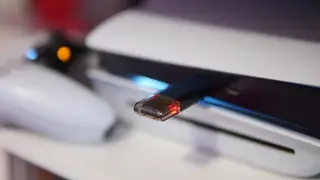
The PS5's USB ports offer more than just controller charging—they can connect external SSDs or HDDs for archiving PS5 games, though games must be moved back to internal storage to play. External drives can also store screenshots and video clips, but separate drives are needed for each type of file. The console supports USB 3.0 or faster drives between 250GB and 8TB for optimal performance.
The PS5’s USB ports enable practical storage expansion using external drives compliant with USB 3.0 or faster standards, supporting capacities from 250GB to 8TB. While games cannot be played directly from these drives, they can be archived and relocated to internal storage for active use—ideal for users with limited internet bandwidth or data caps. For media, separate drives are required: one formatted for game storage via USB Extended Storage, another using standard file systems like exFAT for screenshots and video clips.
This functionality may influence how gamers manage digital libraries, potentially reducing reliance on cloud storage or frequent game deletions. It could also encourage broader adoption of external SSDs among casual users who prioritize convenience over performance. However, the need for multiple drives or manual transfers may deter less tech-savvy players, highlighting a gap in user experience between high-end and mainstream gaming setups.